
How to Set Up a Charging Station for Your Devices at Home
zujerea.pro >> Charging Station>>Device Organization>> How to Set Up a Charging Station for Your Devices at Home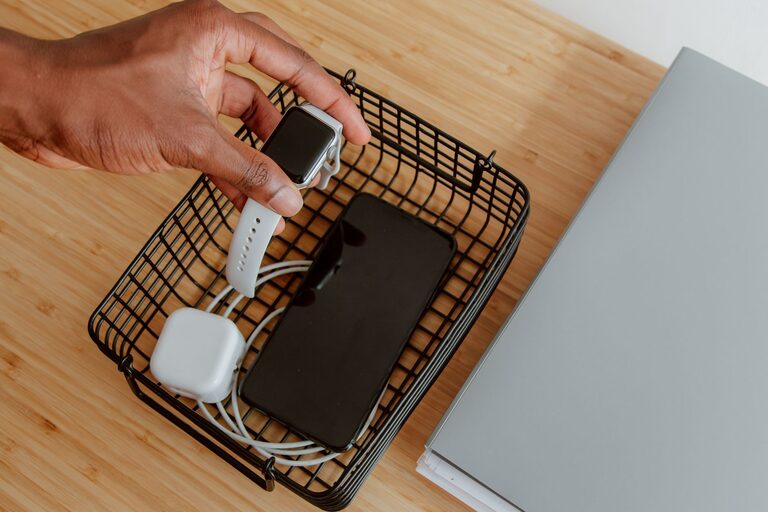
How to Set Up a Charging Station for Your Devices at Home
In today’s world, we use multiple devices every day—from smartphones and tablets to smartwatches and wireless earbuds. Keeping all these devices charged and organized can be challenging without a dedicated space. Setting up a charging station at home or in your workspace helps simplify the process, reduce clutter, and ensure your electronics are ready when you need them. This guide provides easy, practical steps to create an efficient and tidy charging station.
Why Set Up a Charging Station?
Before diving into the setup, it’s helpful to understand the benefits:
– Organization: Keeps all your devices and cables in one place.
– Convenience: Makes charging quick and easy.
– Safety: Reduces the risk of tripping over cables or damaging devices.
– Aesthetics: Eliminates clutter for a cleaner look.
Step 1: Choose the Right Location
Start by selecting a spot that is accessible and convenient for everyone who will use the charging station.
– Common areas: Living room, kitchen counter, or bedside table.
– Workspaces: Home office desk or study area.
– Power source: Close to an electrical outlet to avoid using long extension cords.
Make sure the space is flat and stable, with enough room for your devices and charging accessories.
Step 2: Gather Your Supplies
You’ll need some basic items to build your charging station:
– Charging devices: Wall chargers, USB hubs, or charging pads.
– Cables: USB-C, Lightning, Micro-USB, or any cables for your devices.
– Organizers: Cable clips, boxes, trays, or dock stands.
– Power strip or surge protector: To plug in multiple chargers safely.
– Labeling materials: Optional, for easy identification of cables.
Consider your personal needs and the types of devices you have when selecting these items.
Step 3: Plan Your Charging Station Layout
Visualize how your devices will fit into the space. Consider:
– Number of devices: How many will you charge simultaneously?
– Device size: Include space for phones, tablets, or larger gadgets.
– Charging speed: Use chargers capable of fast charging if your devices support it.
– Accessibility: Arrange devices so you can easily pick them up and put them down.
Sketching a rough layout helps to avoid overcrowding.
Step 4: Organize Cables Efficiently
Cables often create the biggest mess. Here are tips to keep them tidy:
– Use cable clips or ties: Secure cables along the edges of the table or behind furniture.
– Label cables: Attach small tags or use colored bands to identify different devices.
– Shorten cables: Use shorter cables or coil longer ones neatly.
– Store extra cables: Keep spares in a drawer or box nearby.
By managing cables well, your charging station will look cleaner and be easier to use.
Step 5: Set Up Charging Hubs or Docks
Charging hubs or multi-port USB chargers can reduce the number of wall outlets used.
– USB hubs: Allow multiple USB cables to plug into one device connected to power.
– Wireless charging pads: Ideal for devices that support wireless charging, reducing cable clutter.
– Device docks: Hold devices upright and organized while charging.
Place these devices strategically in your charging area, keeping cords hidden as much as possible.
Step 6: Create a Device “Parking” System
A dedicated spot for each device makes it easier to keep track.
– Trays or bowls: Hold small devices like earbuds.
– Stands or holders: Display phones or tablets vertically.
– Drawer organizers: Hide devices while charging if you prefer a minimalist look.
Make sure the parking spots don’t block charging ports or interfere with ventilation.
Step 7: Maintain Your Charging Station
Regular maintenance keeps your charging station effective and safe.
– Clean cables and devices: Dust and dirt can accumulate over time.
– Check for wear and tear: Replace any damaged cables or chargers.
– Rearrange as needed: Add or remove devices as your needs change.
– Monitor power usage: Use surge protectors to prevent damage from electrical surges.
A well-maintained station lasts longer and works better.
Bonus Tips for a Better Charging Station
– Use energy-efficient chargers: Helps save electricity.
– Keep chargers cool: Avoid overheating by providing space for ventilation.
– Add a timer plug: Shut off charging automatically to prevent overcharging.
– Personalize your station: Use decorative elements to match your space style.
Conclusion
Setting up a charging station may take a little effort upfront, but it pays off by keeping your devices powered, organized, and easy to access. Follow these steps to choose the right location, gather supplies, manage cables, and arrange your devices for a tidy and efficient setup. With a well-planned charging station, you’ll never have to hunt for your charger or deal with tangled cables again!